


How to Set Your Smart Thermostat for Fall in Ontario (And Cut Heating Costs)

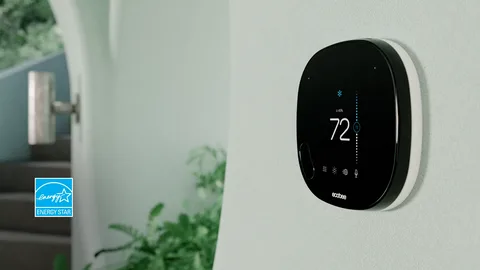
If you have a smart thermostat, whether it’s an Ecobee, Nest, or another brand, you’re already ahead. But are you getting the most out of it as the heating season begins? Most Ontario homeowners leave their thermostat on whatever schedule they set up in spring, missing out on real savings and comfort improvements during fall.
Here’s how to optimize your smart thermostat for the Ontario fall heating season.
Why Fall Settings Are Different
Fall in Ontario is unpredictable. You might have 22°C days in early September followed by near-freezing nights by late October. A static temperature schedule won’t adapt to this variability, and that’s where a smart thermostat earns its keep.
Unlike a basic programmable thermostat, a smart thermostat learns your patterns, adjusts to outdoor temperatures, and can be controlled remotely. But it still needs to be configured correctly for the season.
Recommended Fall Temperature Settings for Ontario Homes
Before diving into device-specific settings, here are general targets endorsed by Natural Resources Canada:
- When home and awake: 20–21°C
- When sleeping: 17–18°C (most people sleep better in a slightly cooler room)
- When away from home: 16–17°C
Dropping the temperature by just 2–3°C while you’re away or sleeping can reduce heating costs by 5–10% per degree, according to NRCan estimates.
Ecobee Settings for Fall
The Ecobee is one of the most popular smart thermostats in Canada, and it offers several features specifically useful for fall.
Smart Recovery: Enable this feature so your Ecobee learns how long it takes to heat your home to the target temperature and starts warming up earlier, ensuring comfort when you need it. Enable it under System Settings → Smart Recovery.
Comfort Profiles: Update your Home, Away, and Sleep comfort profiles for fall temperatures. Resist the temptation to set your “Home” comfort to 23°C, you’ll overheat and overpay.
Eco+ Mode: In Ontario, Ecobee’s Eco+ feature integrates with local utility rates. If you’re on a time-of-use (TOU) electricity plan, it can pre-heat your home during off-peak hours to reduce costs during peak periods.
Ventilation settings: Fall is a good time to review your ventilation schedule if you have an HRV (Heat Recovery Ventilator) integrated with your Ecobee. Set ventilation to run more frequently during the day when people are home.
Other Smart Thermostat Settings for Fall
If you use a different brand, such as Google Nest, Honeywell Home, or another WiFi thermostat, the core principles are the same, even if the menu names differ.
Auto-Schedule / Learning Mode: Most smart thermostats learn your preferences over 1–2 weeks. After a long summer without heating, give it a few days to relearn your fall habits. Be intentional with manual adjustments in the first week so it learns correctly.
Home/Away Detection: Enable location-based or occupancy detection so the thermostat adjusts automatically when the house is empty, rather than heating an unused home all day.
Energy Reports: Check your thermostat’s energy or usage history in the app after the first few weeks of the heating season. Unusual spikes in run time often point to draft issues, poor insulation, or a furnace that needs attention.
Night Setback: Whatever brand you have, program a setback of at least 3°C overnight. It’s one of the simplest ways to reduce your heating bill without sacrificing comfort.
Setting a Fall Schedule: What Works for Most Households
If your thermostat uses a manual schedule rather than learning, here’s a practical template for weekday Ontario fall schedules:
| Time | Temperature |
|---|---|
| 6:00 AM | 21°C (wake up) |
| 8:30 AM | 17°C (leave for work) |
| 4:30 PM | 21°C (return home) |
| 10:30 PM | 18°C (sleep) |
Adjust based on your actual schedule. The goal is to avoid heating an empty home.
Ontario Rate Schedules: Timing Matters
If you’re on Ontario’s Time-of-Use electricity pricing (applicable to many electric supplemental heating systems and heat pumps), peak hours are typically:
- Weekday peak: 7:00 AM – 11:00 AM and 5:00 PM – 7:00 PM
- Off-peak: nights, weekends, and holidays
Even if your primary heat source is a gas furnace, if you use any electric supplemental heat or a heat pump, programming your thermostat to pre-heat during off-peak hours can meaningfully reduce your bill.
For a broader look at common heating mistakes that drive up costs, see 5 Common HVAC Mistakes That Could Be Costing You Money.
Don’t Forget Your Furnace
A smart thermostat optimizes when and how hard your system works, but it can’t compensate for a furnace that isn’t working properly. If your system is slow to reach the set temperature, cycles frequently, or makes unusual sounds, those are signs your furnace needs attention before the heating season peaks.
Before heading into fall, it’s worth reviewing what a proper annual inspection includes: Do You Really Need an Annual HVAC Tune-Up? Also relevant as the heating season starts, read about how your HVAC system connects to indoor air quality in your home and how your thermostat’s fan settings can help distribute clean, filtered air more effectively.
Ready to Upgrade?
If you’re still working with a basic programmable thermostat, or no thermostat at all, this fall is the right time to upgrade. Smart thermostats typically pay for themselves within 1–2 heating seasons through energy savings.
Browse our smart thermostat options or explore our furnace lineup to pair your new thermostat with a properly matched system. Ready to book? Contact us here.